Description
Shapes, Styles and Repetition (Photoshop Elements)
A replay of a LIVE class designed to up-level your digital scrapbooking and photo artistry layout design skills.
Simple step-by-step approaches to collectively transform your pages.
CREATE AND ELEVATE USING SHAPE, LAYERS STYLE, AND REPETITION TECHNIQUES IN ADOBE PHOTOSHOP.
- Create Masks, Frames, and Embellishments using the various Shape Tools in Adobe Photoshop.
- Apply special effects to shape and text elements using Layer Style presets.
- Learn the concepts of Repetition to create fabulous layout design.
- Apply beautiful Cast Shadows to embellishments for more dimensional Realism in your digital scrapbooking pages.
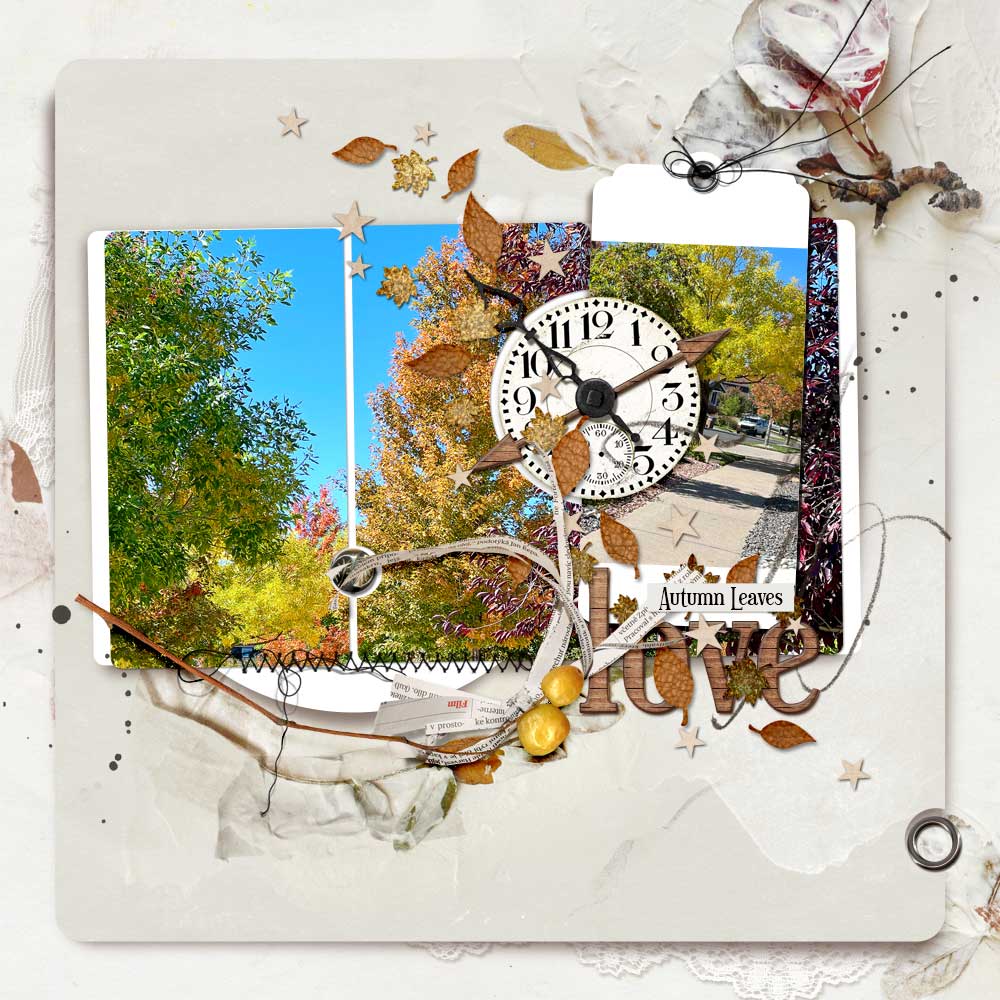
WHAT YOU WILL LEARN:
- The huge Advantages of using Vectors over Bitmaps.
- Load and use Shapes in Adobe Photoshop Elements.
- Create Rectangles, Ovals, Circles, and Squares.
- Establish a New Layout foundation.
- Select a Background for your digital scrapbooking page.
- Create Mattes and Frames with Curved Corners using the Shape Tool.
- Customize shapes via the use of Clipping Masks.
- Distribute and Align elements.
- Use and modify Rulers and Grids.
- Create photo Masks and Frames.
- Combine multiple shapes.
- Modify and edit shapes Within shapes after they have been created.
- Create and span a photo across a Multi-Shape mask.
- Apply a Drop Shadow layer effect.
- Create and modify both a Brush Preset and shape Cut-Out effect.
- Make brushes from Shapes.
- Use Repetition and Alignment to choose embellishments.
- Import and find custom shape Presets.
- Create and modify your own Custom Shapes.
- Import custom shape .CSH files.
- Make your own fancy Tag element.
- Transform your tag element into a photo Frame.
- Apply Special Effects to shape layers in the form of Layer Styles.
- Use shapes and styles to make your own digital scrapbooking Embellishments.
- Load and use Style Presets from within Photoshop Elements and other resources.
- Create Shapes with only an Outline.
- Make your own Metal Ring elements and apply this concept to other Shapes.
- Modify layer effects and Customize for different shape Properties.
- Make brushes from Shapes.
- Use shapes with Brush Settings to create your Scattered brushes.
- Save these tools as brushes for future usage.
- Apply Layer Styles to create your own ‘MagicSprinklez‘ style elements.
- Make your own Star shapes.
- Build your own dimensional Arrow element (3 different approaches)
- Create your own AlphaSets and Word elements.
- Make custom WordLabels/LabeledWords.
- Add ‘artsy’ design approaches to Traditional digital scrapbooking pages.
- Recolor and edit digital elements with Adjustments Layers.
- Approaches for Embellishing with ArtPlay Palettes.
- Working with Repetition, Alignment, and Visual Triangle design principles.
- Customize and edit Drop Shadows.
- Create realistic Cast Shadows
WHAT TO EXPECT:
- Step-by-step layout construct with a Detailed explanation of techniques and approaches.
- Comprehensive instruction for using Shapes and Layer Styles in Adobe Photoshop Elements.
- Direct Support is available via email.
- I’m ALWAYS happy to answer your questions and Support you in your learning 🙂
Video REPLAYS
- 1 X 2.25 Hour class REPLAY recorded via Zoom.
- Session will be available for DOWNLOAD in .MP4 format shortly after the LIVE event.
- Watch .mp4 files on your computer using a Media Player or load into iTunes for viewing on Smart Devices.
- Demonstrations conducted in Adobe Photoshop Elements 2023.
Written Content
- 21-Page comprehensive Written Step-by-Step + Screenshots in .pdf format.
- Course content Coordinates with class.
BONUS Digital Supplies
Included for your enjoyment and convenience.
- A complimentary Template of the layout is to be created in class.
- Plus a collection of BONUS Layer Styles and Brushes.

Reviews
There are no reviews yet.